

Buy CS:GO
Player ESP, player markers and FOV camera for matches, competitive matches and practice servers—no aim assist.
At a glance
CS:GO cheat capabilities
What this package focuses on for CS:GO before you open the full module list.
Plus 14 additional modules in the operator portal—see the full list below.
Overview
Built around a full CS:GO operator workflow
How this CS:GO build fits competitive, matchmaking, and casual matches after major patches.
Elite tier is the top match package on this site—every ESP modules and Aim assist modules module plus misc modules, skin unlock, priority patch delivery and the full ESP suite.
Elite slots are limited so patch cycles stay fast and builds stay maintainable. Direct dev support in Discord helps you tune conservative profiles before joining matchmaking or competitive matches. Check the status banner on cheatcsgo.net before purchase.
CS:GO product is the private build for players who want everything—misc modules, combat assist, skin unlock, full ESP suite and direct developer support. Limited slots keep the build maintainable and patch cycles fast.
Use Elite responsibly
Elite power demands disciplined profiles. Test in Training first, start with portal conservative presets, and scale up over days—not minutes. Staff in Discord help Elite users tune before their first matches, competitive matches or matches session.
Full assist and progression suite
Misc modules, combat assist, skin unlock and the full ESP suite with player and map alerts. Use Training or a bot match before live matches or competitive matches play—Elite power requires disciplined profiles, not rage settings.
Availability
Elite shows as limited slots on the status banner. Open a Discord ticket if checkout is gated—staff confirm slot availability before purchase.
Modules
What's included in ESP modules for CS:GO
Every CS:GO module and overlay listed with ESP modules—toggle and tune in the operator portal.
- Aimbot: Enable Akimbo
- Aimbot: Visible Check
- Aimbot: Ignore Knocked
- Aimbot: Draw Target Line
- Aimbot: Draw FOV
- Aimbot: Max. Distance
- Aimbot: Custom Keybind for Mouse
- Aimbot: Aimbot Filter
- Aimbot: Aimbot Smoothness
- Aimbot: Aimbot Speed
- Aimbot: Aimbot FOV
- Visuals: Player ESP
- Visuals: AI ESP
- Visuals: Inventory List
- Visuals: Box
- Visuals: Distance
- Visuals: Name
- Visuals: Team Index
- Visuals: Weapon Type
- Visuals: View Direction
- Visuals: Health Bar
- Visuals: Head Circle
- Visuals: Snaplines
- Visuals: Skeleton
- Visuals: Inventory Price
- Visuals: Level
- Visuals: Side
- World: Enable Player Corpse ESP
- World: Enable AI Corpse ESP
- World: Price
- World: Max Distance
- World: Minimum Price
- Misc: Crosshair
- Misc: Font Size
- Misc: Combat Mode
- Misc: Create Config
- Misc: Save Config
- Misc: Load Config
- Misc: Delete Config
Experience
In the client · After you buy
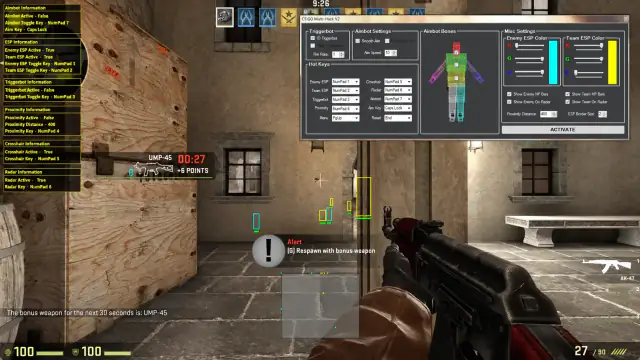
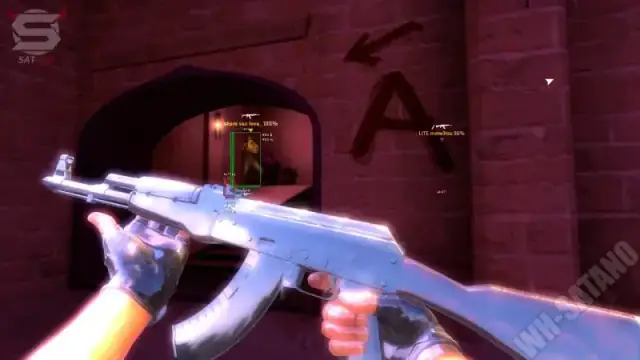
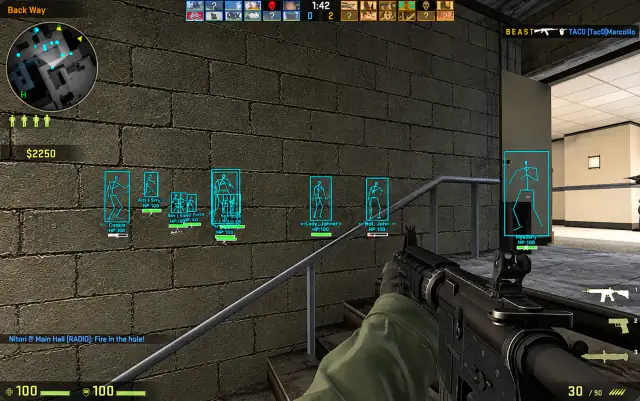
Use the screenshots above for ESP modules—below is what each layer means and how access works after checkout.
In-game layers
- Layer A
Aim assist
FOV circle and target line in a round.
- Layer B
Weapon ESP
Weapon filters and drop markers.
- Layer C
Visual options
Player ESP and weapon filter toggles.
- Layer D
Aim panel
Aim key, smoothing and visible check.
- Layer E
Config system
Save, load and panic key controls.
Guides
CS:GO buy guides for ESP modules
Curated CS:GO articles for setup, tuning, and patch-day checks that match this product.
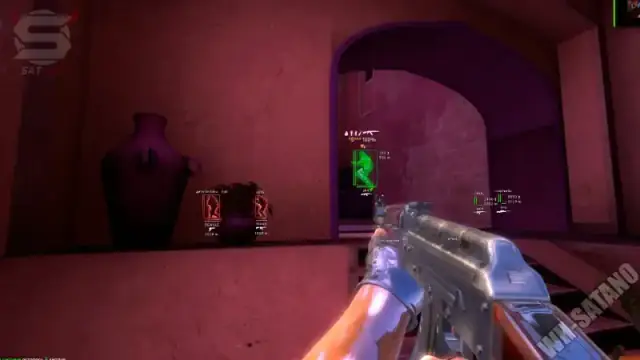
csgo cheats features map: Player ESP, aimbot, shot timing, FOV, and Elite extras by module group—compare before checkout on cheatcsgo.net.
Elite csgo cheats suite: aimbot, ESP, farm helpers, and local skin preview. Who Elite is for, what it lists, and how checkout works on cheatcsgo.net.
How aimbot, ESP, weapon markers, and misc modules group together in listed csgo cheats—plain-language map for cheatcsgo.net readers.
Windows 10/11 and Steam client notes for people researching csgo cheats—display modes and anti-cheat at launch. Confirm product scope before buying.
How to buy csgo cheats on cheatcsgo.net—compare modules, use partner checkout, then open the portal. 2026 walkthrough without fake guarantees.
Plain English definitions of ESP and aim labels on CS:GO. Terminology only—not a how-to. Read on cheatcsgo.net.
FAQ
Questions about this page
Answers tied to what you are reading—visit the FAQ page for every topic.